4. Compare Haplotypes
Page: Sequence · Goal: see the bases behind a prediction: which variants each pinned haplotype carries, and where.
Tracks tell you that the haplotypes differ. The Sequence page shows how. Open it from Tracks → Sequence → (it keeps the locus), or directly. We move to the HERC2 window, which holds the best-known pigmentation regulatory variant, rs12913832. It sits in a HERC2 intron, in an enhancer of the neighbouring OCA2.
Zoomed in: bases
Type rs12913832 in the locus box (or chr15:28120402-28120541):
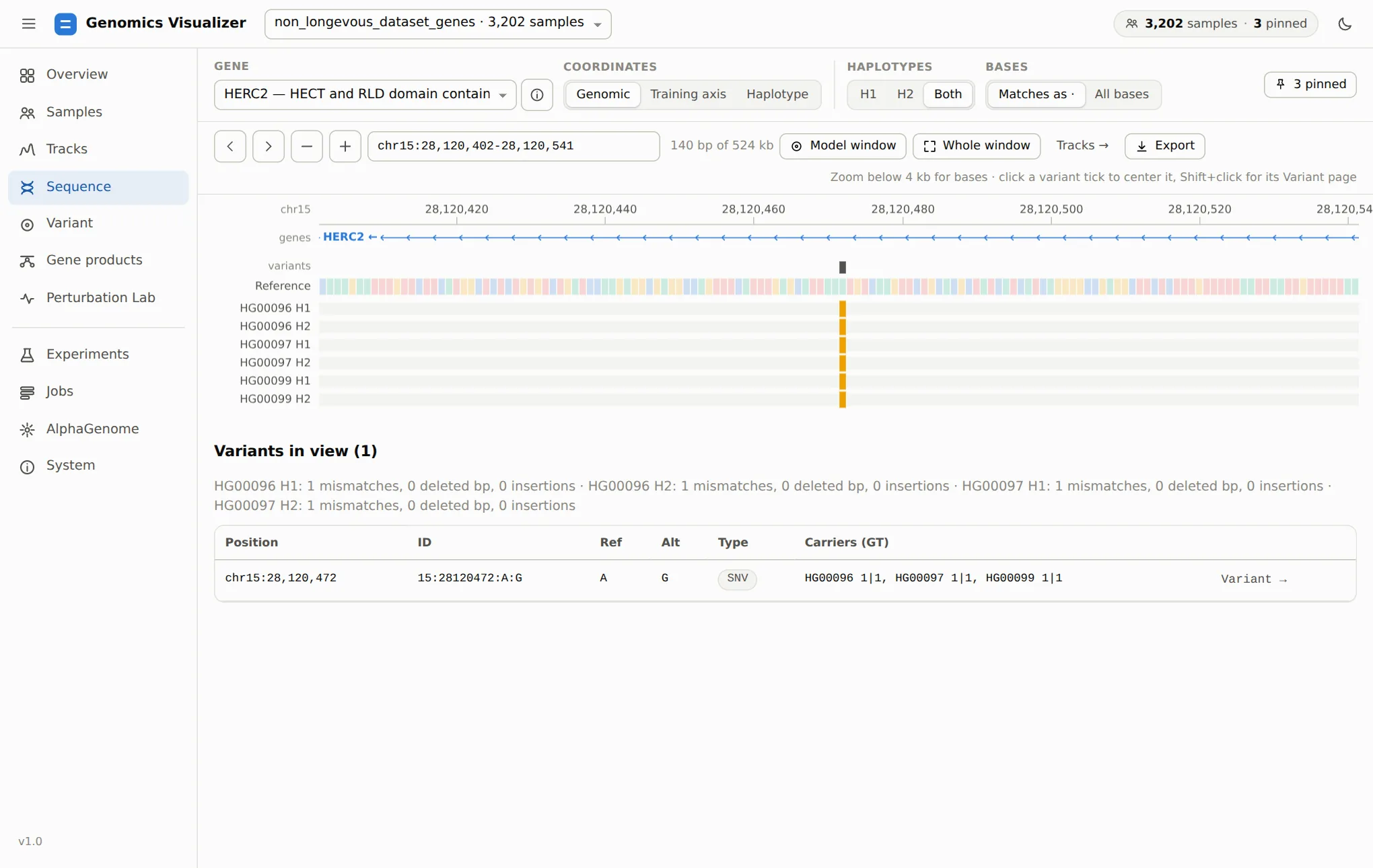
1|1.Below 4 kb the page draws bases. The Reference row is coloured by base. Each haplotype row shows only what differs (Matches as ·) or every base (All bases). Mismatches are coloured, and deletions and insertions are marked. The variants lane marks every site in view. Click a tick to centre it, or Shift+click it to open its Variant page.
Variants in view lists the sites with their alleles, type and each pinned sample's phased
genotype (1|1, 0|1…). Variant → opens the site on the Variant page, which is where we go next.
Zoomed out: density
Click Model window to see the 32 kb the models read:
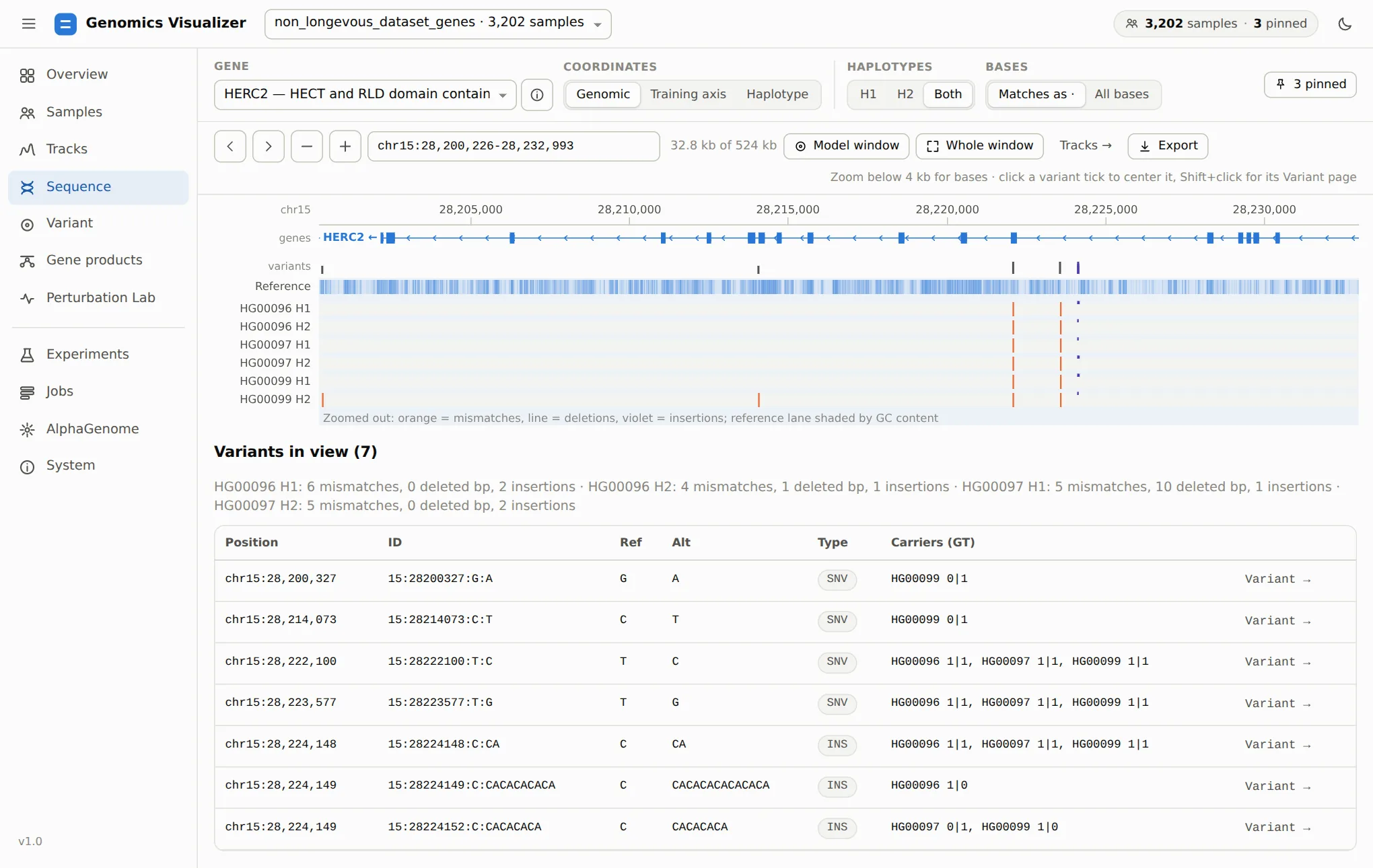
The summary line counts each haplotype's mismatches, deleted bases and insertions in view. This is the quickest way to see why two people's tracks diverge in a region, or to find a haplotype with an indel that shifts positions downstream.
Coordinates
The same three modes as on Tracks. Genomic lines haplotypes up on reference positions, with deletions as gaps. Haplotype shows each sequence as AlphaGenome saw it. Training axis shows the shared alignment with insertion columns that the CNN models use. The training axis is built with bcftools on first use and cached. See Dynamic Indel Tensor Alignment for why it exists.