2. Build A Cohort
Page: Samples · Goal: choose who to look at, and check whether the groups you compare differ in ancestry.
Two selections on this page drive the rest of the app:
- the cohort: every sample that passes the filters. Group means, population heatmaps, region scalars and training all use it.
- the pinned individuals (up to 32): shown one by one on Tracks, Sequence and in the Perturbation Lab.
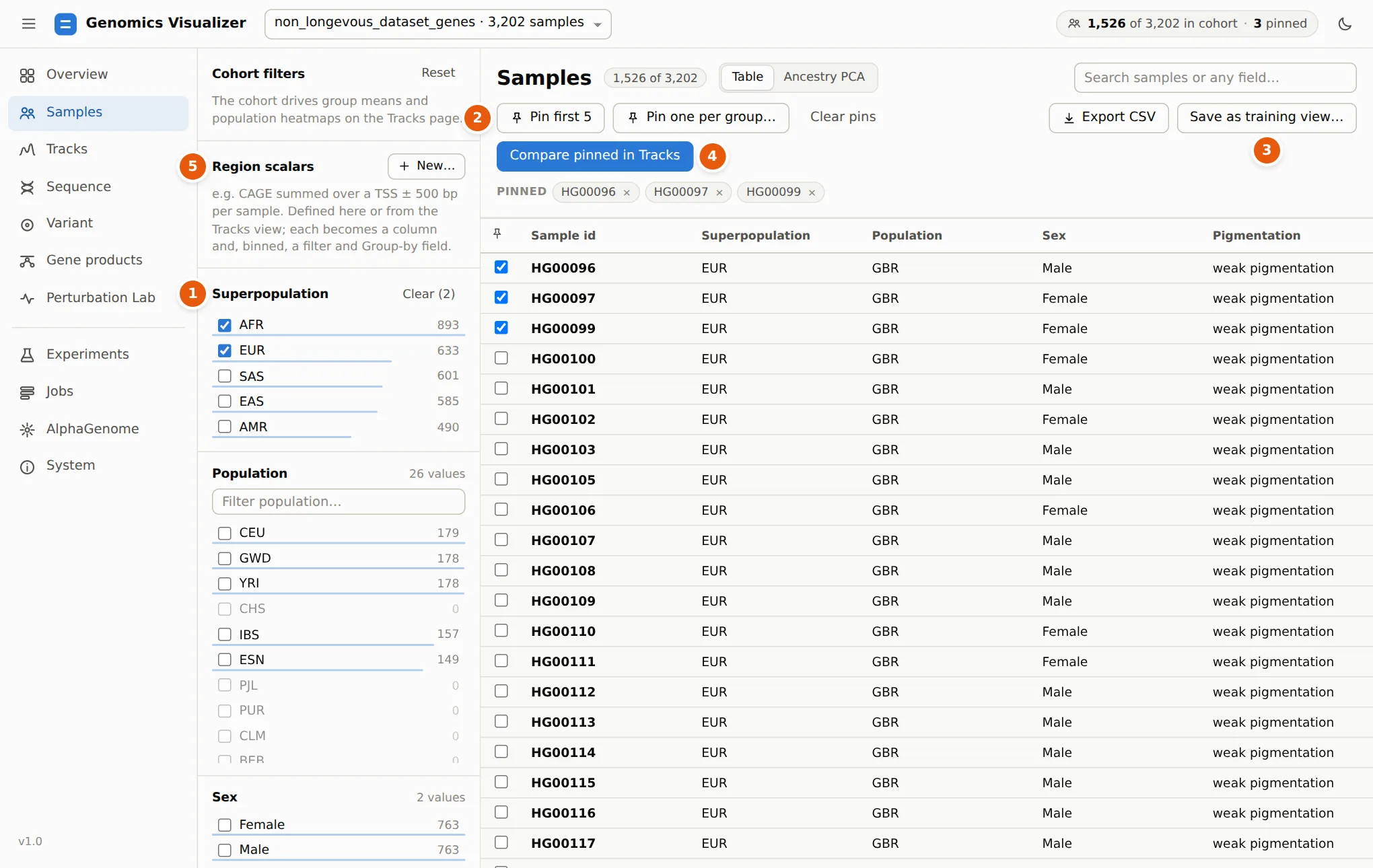
Filter the cohort
1 Each facet in the left column is a sample field with its values and counts. Tick values to keep them. Counts in the other facets update with every click, so you can see, for example, that the AFR + EUR cohort has no CHS samples. Within a facet, values are combined with OR. Across facets they are combined with AND. The count next to the title says how many samples the cohort has, and free-text search matches any field.
Pin individuals
Tick the box in a row to pin that sample. 2 Pin first 5 and Pin one per group… (one sample per value of a field, e.g. one per population) are quick ways to build a comparison panel. The pinned chips under the buttons remove a pin. 4 Compare pinned in Tracks jumps to step 3 with them.
In the tutorial we keep HG00096, a British man labelled weak pigmentation, with two other GBR samples.
Save a cohort for training
3 Save as training view… writes the cohort (and what it is for) as
a .view.json file. A training config can point to that file, so the run uses exactly these
samples. Export CSV saves the table with every field.
Ancestry PCA and matching
Switch the page from Table to Ancestry PCA. The first time, click Compute PCA. It reads every sample's window VCFs (seconds per window) and caches the result.
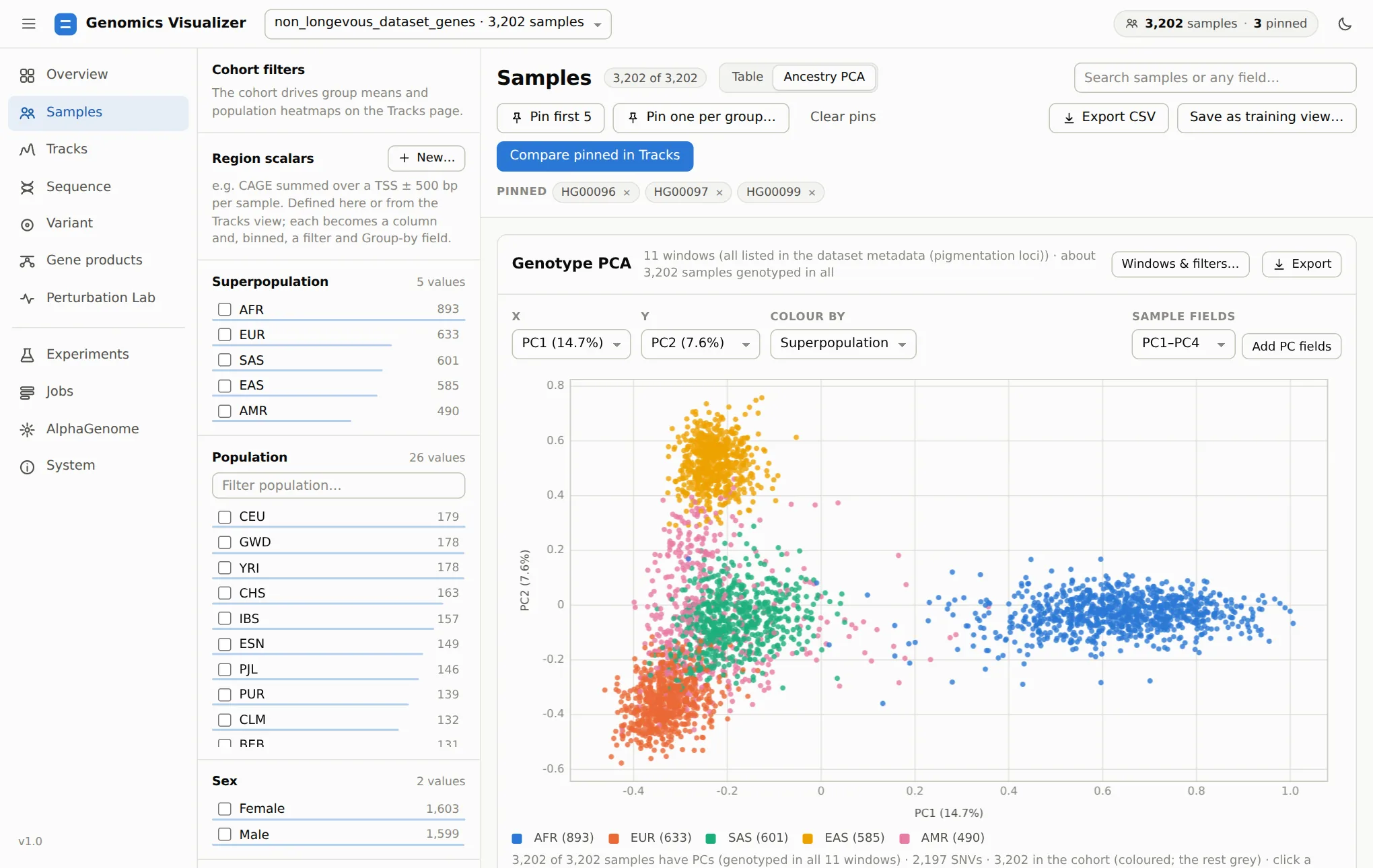
The PCA uses biallelic SNVs with minor-allele frequency ≥ 5%, thinned to one per 2 kb, and the
genetic relationship matrix, as EIGENSOFT does. Colour by any field, choose any pair of PCs,
and click a point to pin that sample. Add PC fields turns pc1…pcK into numeric sample
fields, for tables, CSV export or as covariates.
Matching answers a question every comparison of groups should ask first: are there people in both groups with the same genetic background? Choose a field, the values for group A and group B, the number of PCs and a caliper. Each A sample is then paired with its nearest unused B sample.
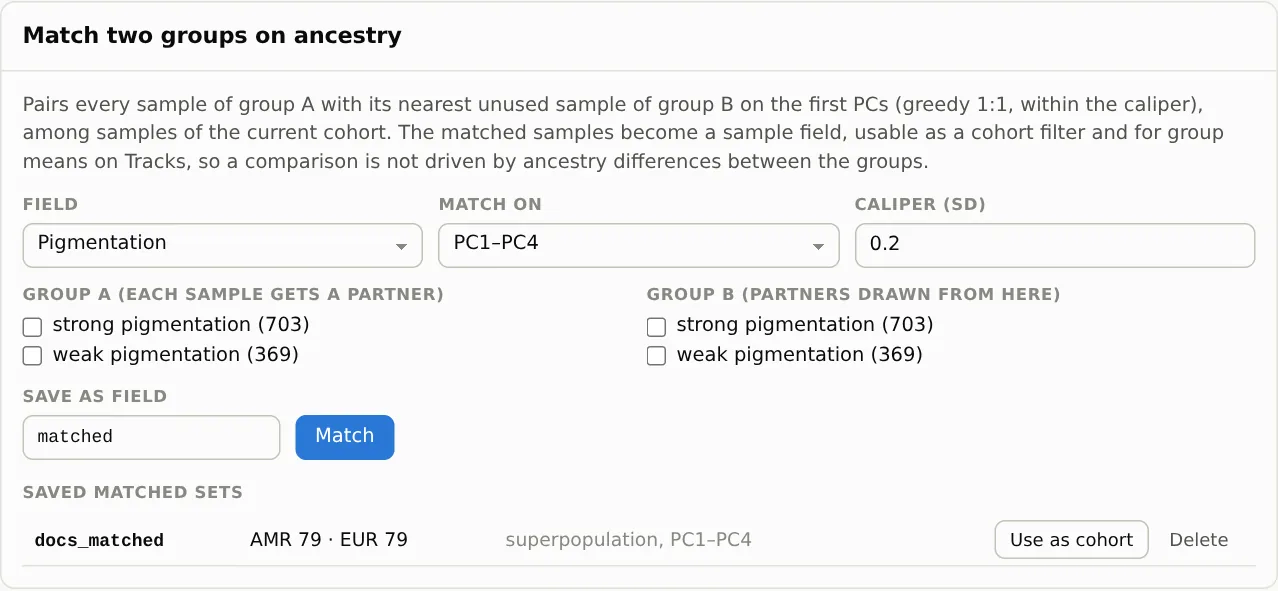
Now try the pigmentation labels: group A weak pigmentation, group B strong pigmentation. The app answers "No pairs within the caliper". Weak (European) and strong (African) samples are 10.4 pooled SDs apart on PC1, and no genome in one group resembles any genome in the other. That single result shapes everything after it. A model that separates these labels may be learning ancestry, not pigmentation, so step 7 adds the controls that can tell the two apart.
Which windows the PCA uses
By default, the PCA uses the windows that cover the most samples, preferring control windows. In this dataset the control windows have VCFs for only 1,072 samples, so it falls back to the 11 pigmentation windows, which cover all 3,202. Windows & filters… changes the windows, MAF, spacing and number of components.
Region scalars: a track as a sample field
5 Region scalars → New… turns predicted signal into one number per sample: the mean of a track over a region (a gene's TSS ± a flank, its body, or any range), averaged over H1 and H2, optionally summed and log-transformed.
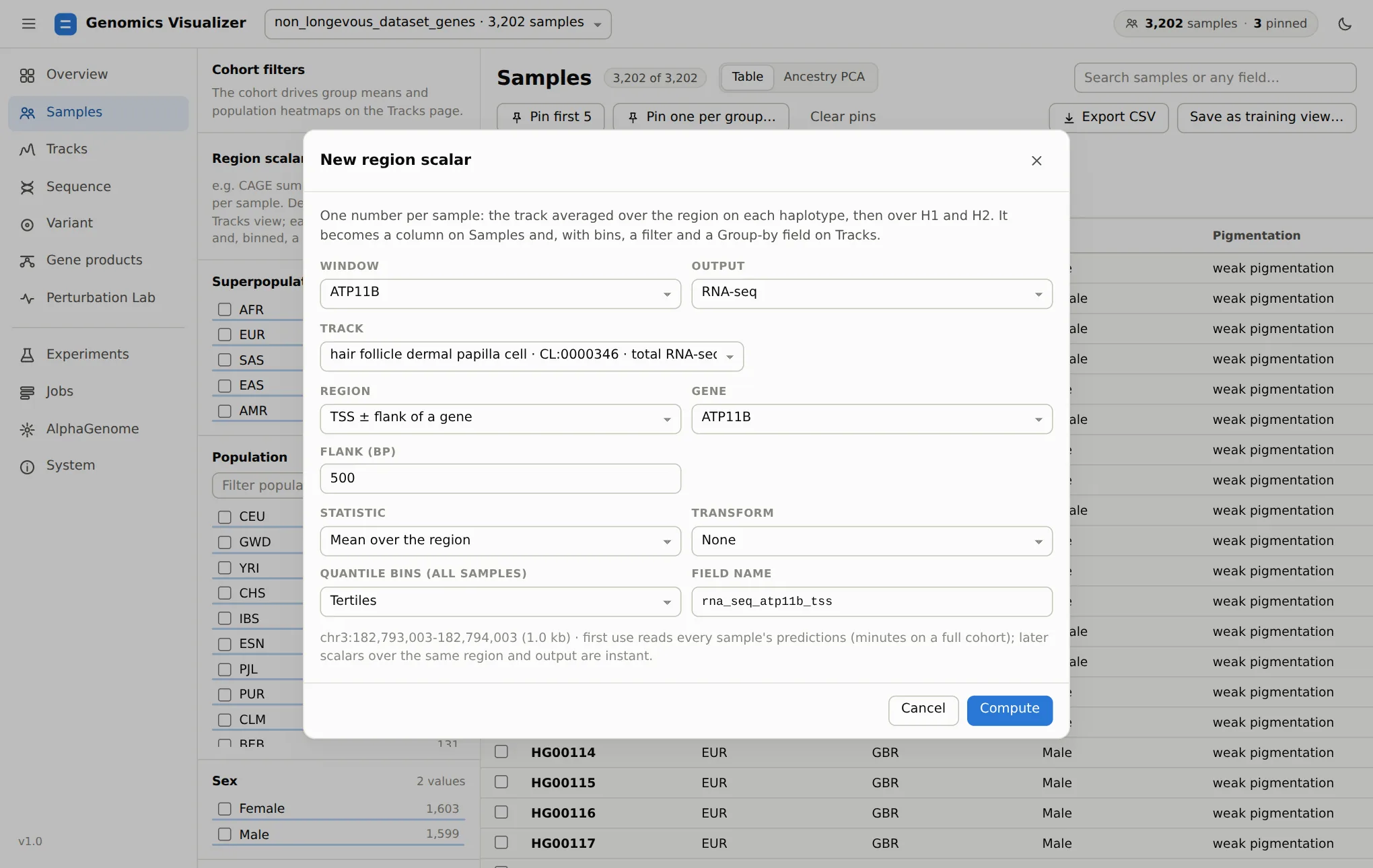
The scalar becomes a numeric column. With bins, it also becomes a categorical field (Q1 … Qk),
so you can filter the cohort to the samples with the highest predicted TYRP1 expression, or split
group means by it on Tracks. The first computation reads every sample's predictions for that output
(about 20 s for 3,202 samples); other tracks of the same output and region are then instant.